
Ad
More like this: Cactus farm schematics
Description
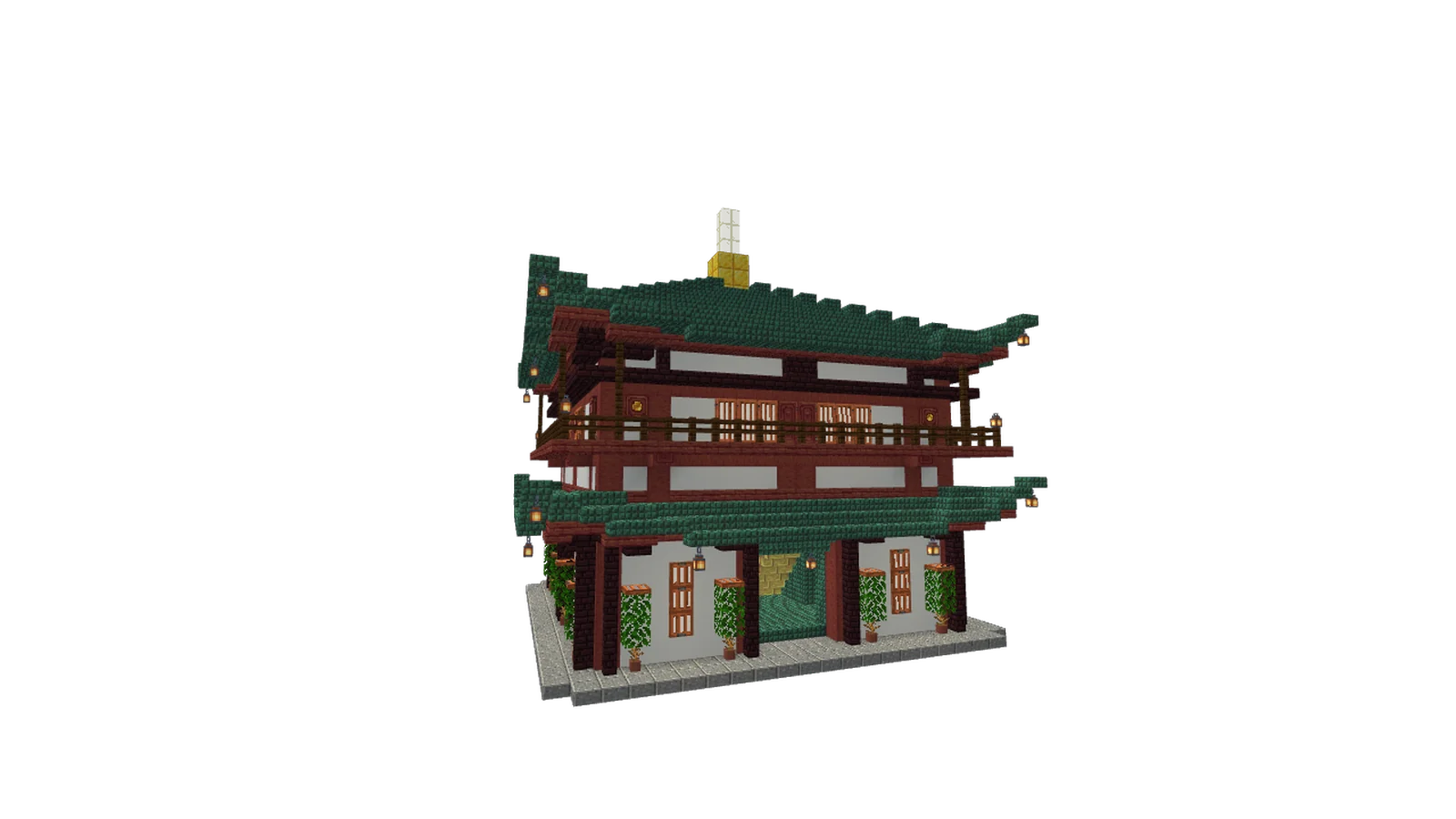
A Japanese-style building housing for an auto smelter (made by Adil Gamez) setup with 48 furnaces and decorative exterior detailing (made by Mizinha).
This farms build measures 24 × 25 × 24 and uses 4,101 blocks across 52 different block types, mostly dark prismarine slab, white concrete, mangrove slab.
It is made for Minecraft Java Edition 26.2. You'll need Vanilla (No Mods) to build it as intended.
Build at a Glance
Dimensions24 × 25 × 24
Footprint576 blocks
Total blocks4,101
Block types52
EditionJava
VersionMinecraft 26.2
ModVanilla (No Mods)
File size75.2 KB
DifficultyIntermediate
Blocks in this schematic
4,101 blocks totalPlaced blocks, not crafting ingredients. Overlapping regions are counted separately.
Dark Prismarine Slab1,105
White Concrete404
Mangrove Slab328
Stripped Mangrove Log276
Dark Prismarine202
Crimson Planks189
Polished Andesite Slab160
Hopper154
Mangrove Planks124
Nether Brick Slab120
Dark Oak Fence108
Nether Brick Wall96
Pearlescent Froglight77
Powered Rail69
Oxidized Copper Grate63
Frequently Asked Questions
What Minecraft version is Japanese AutoSmelter for?
Japanese AutoSmelter is built for Minecraft 26.2 (Java Edition) and usually works on nearby versions too.
Do I need any mods to build Japanese AutoSmelter?
The creator lists Vanilla (No Mods) for the original build. Bedrock downloads replace blocks that cannot be converted with air and show the number replaced.
How many blocks does Japanese AutoSmelter use?
Japanese AutoSmelter uses 4,101 blocks across 52 block types, and measures 24 × 25 × 24. Use the materials list above to gather everything first.
How do I import Japanese AutoSmelter into Minecraft?
In Litematica (Java), put the .litematic in your .minecraft/schematics folder, open the Litematica menu in-game, load the schematic, and use the placement tools to build it block by block. In WorldEdit (Java), drop the .schem into your WorldEdit schematics folder and run //schem load then //paste. For Bedrock on Windows, choose Bedrock (.mcstructure) above and import the file with a structure block in Load mode. Builds must fit within 64 × 384 × 64 blocks (X × Y × Z).
Is Japanese AutoSmelter free to download?
Yes. All download formats are free, with no account required.
Ad
Comments