
Abandoned Altar
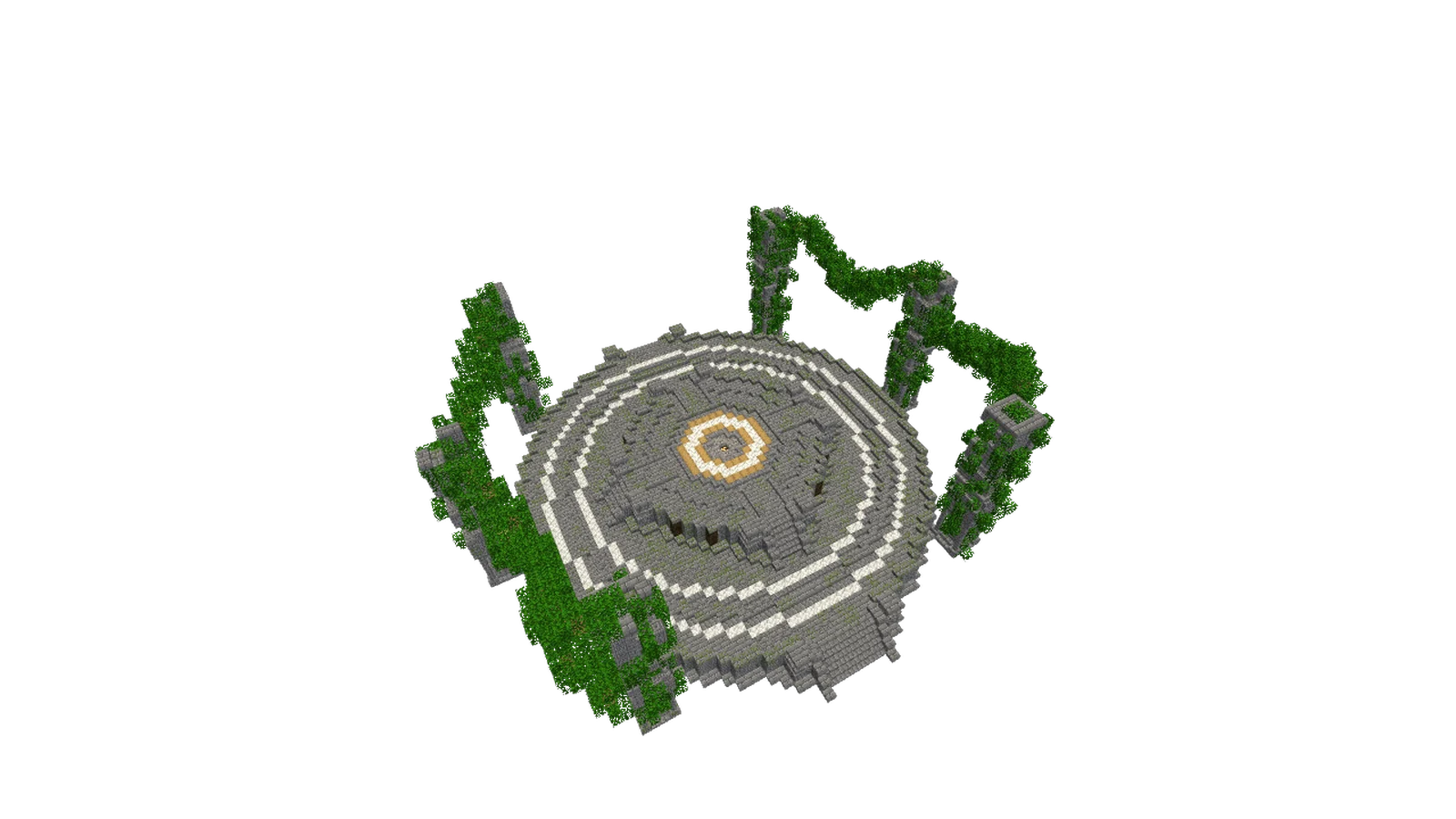
Description
A circular ruined altar structure with stone brick detailing and overgrown vine-covered supports.
This megabuilds build measures 69 × 25 × 61 and uses 12,262 blocks across 18 different block types, mostly stone bricks, cracked stone bricks, oak leaves.
It is made for Minecraft Java Edition 1.21.1.
Build at a Glance
Dimensions69 × 25 × 61
Footprint4,209 blocks
Total blocks12,262
Block types18
EditionJava
VersionMinecraft 1.21.1
File size104.7 KB
DifficultyAdvanced
Blocks in this schematic
12,262 blocks totalPlaced blocks, not crafting ingredients. Overlapping regions are counted separately.
Stone Bricks4,653
Cracked Stone Bricks1,400
Oak Leaves1,397
Mossy Stone Bricks1,377
Vine804
Stone Brick Stairs712
Chiseled Stone Bricks558
Stone Brick Wall429
Stone Brick Slab277
Calcite260
Mossy Stone Brick Slab227
Polished Diorite68
Stripped Oak Wood44
Oak Log28
Dark Oak Log24
Frequently Asked Questions
What Minecraft version is Abandoned Altar for?
Abandoned Altar is built for Minecraft 1.21.1 (Java Edition) and usually works on nearby versions too.
Do I need any mods to build Abandoned Altar?
No mods are required. You only need Litematica (or another schematic mod) to view and place the build in survival or creative.
How many blocks does Abandoned Altar use?
Abandoned Altar uses 12,262 blocks across 18 block types, and measures 69 × 25 × 61. Use the materials list above to gather everything first.
How do I import Abandoned Altar into Minecraft?
Download the file above, then: in Litematica (Java), put the .litematic in your .minecraft/schematics folder, open the Litematica menu in-game, load the schematic, and use the placement tools to build it block by block. In WorldEdit (Java), drop the .schem into your WorldEdit schematics folder and run //schem load then //paste. On Bedrock, use a structure-block or add-on workflow that imports .nbt structures.
Is Abandoned Altar free to download?
Yes. Every schematic on MineSchematic is free to download in .litematic, .schem and .nbt formats, with no account required.
Comments (0)